

One service, one app. No detour through other servers.
SMTPly has two parts: a lean Windows service that accepts mail and delivers it through Microsoft Graph, and an app for setup and oversight. Both run on your server.
Two parts, cleanly separated.
The service does the work, the app shows it. Close the app any time, sending carries on.
Runs in the background, no sign-in needed.
SMTPly starts with Windows under LocalSystem. No signed-in user, no tray icon, nothing anyone can close by accident.
- SMTP listener on port 25, 587, 465 or any other, several in parallel
- Queue on disk, readable only by the service and administrators, survives restarts
- OAuth2 tokens via MSAL.NET, delivery through Microsoft Graph
- Log kept locally as a file and streamed live to the app
- Account
- LocalSystem
- Start type
- Automatic
- Port
- 25 / 587
- 1SMTP listeneraccepts mail from devices, optionally with TLS
- 2Queue with retryon disk, readable only by the service and administrators, survives restarts
- 3Microsoft Graph /sendMailvia OAuth2 into your Microsoft 365
Everything in view, no command line.
English and German, light and dark, keyboard friendly. A setup assistant takes you from first launch to a real test mail.
- Dashboard with numbers, trend and rankings, Maillog with search, column choice and detail view
- Mailflow: the ruleset at a glance, with counters, editing and a rule tester
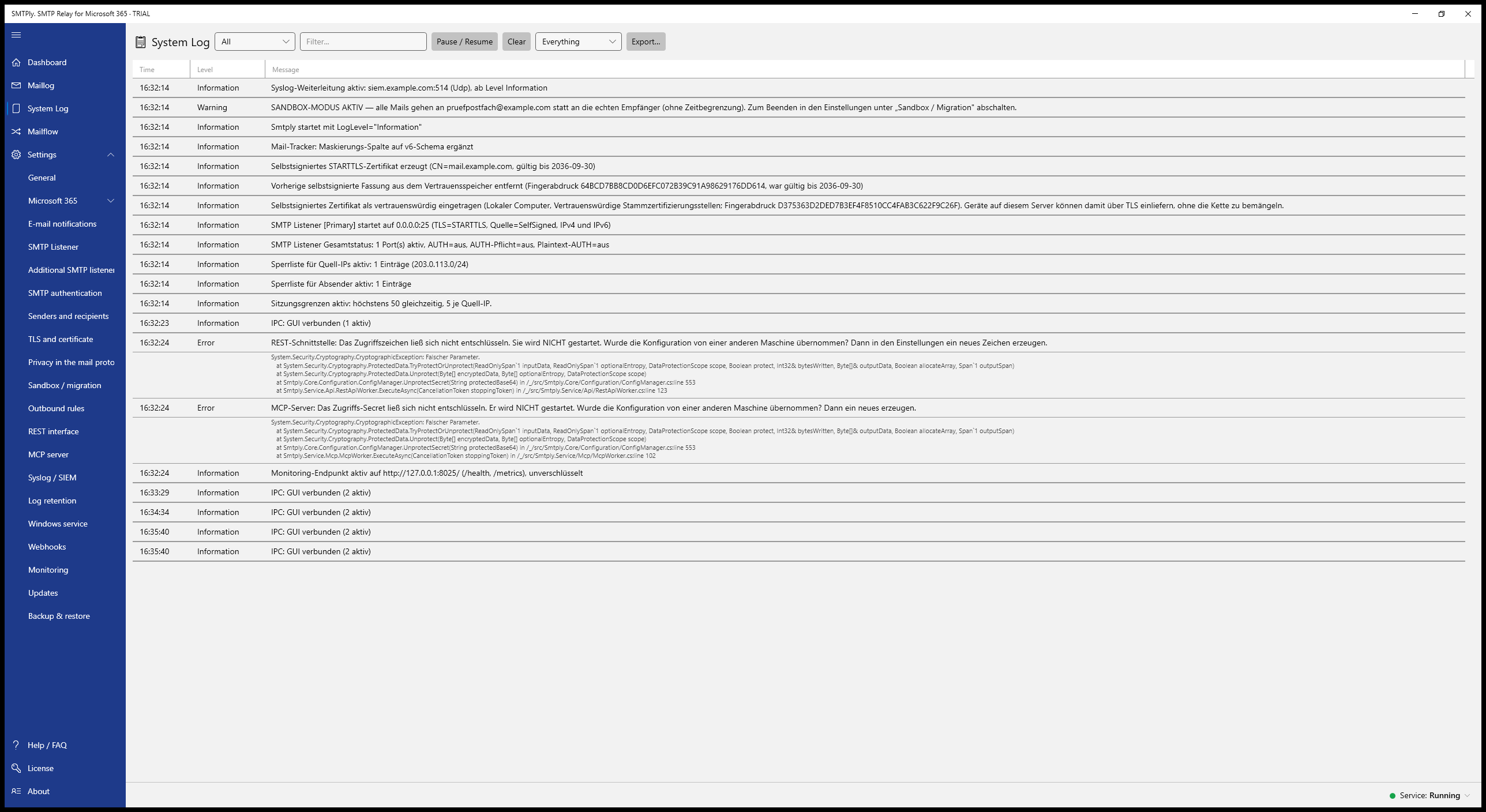
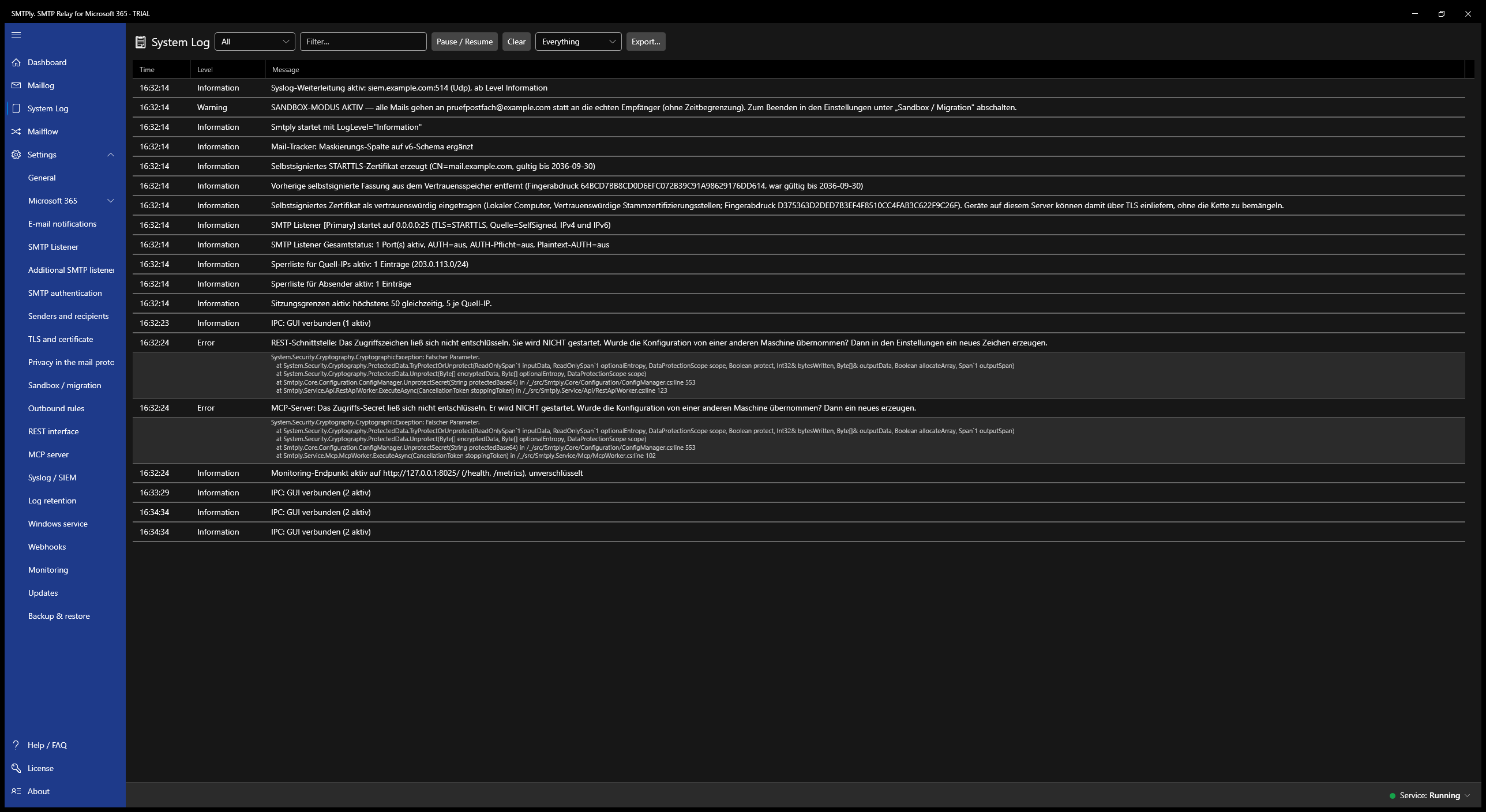
- Real-time system log with level and text filters
- Settings for Microsoft 365, listeners, certificate, allow lists and retention
- License, backup, self-test and diagnostics bundle
| Date/time | From | To | Subject | Source IP | Transport |
|---|
| Rule | Conditions | Action | State | Counter | |
|---|---|---|---|---|---|
| Reception4 | |||||
| Requirements (all must be met) | 4.318 | ||||
| 6 | Allowed source IPs | Source in: 192.168.10.0/24 ✎ | Required | active | 12 |
| 11 | Message size | at most 25 MB ✎ | Required | active | 0 |
| 12 | Everything else | – | Reject (550) | always | |
| Assignment3 | |||||
| 13 | Tenant example.com | Sender in: @example.com ✎ | Assign: example.com | active | 4.318 |
| 15 | No tenant matches | – | Reject (550) | always | 7 |
| Delivery1 | |||||
| 23 | All assigned mails | – | Hand over to Microsoft 365 | always | 4.316 |
For anything that sends via SMTP.
Every device and application that can’t do OAuth2 can use SMTPly as its gateway.
Printers & scanners
Multifunction devices with scan-to-email whose firmware will never get OAuth2.
ERP & inventory
Sage, Infor or older SAP installations send documents, order confirmations and invoices via SMTP.
Hospitality
Oracle Fidelio Suite 8, Opera and other PMS solutions with booking confirmations and invoices.
CRM & DMS
Notifications, reports and approval workflows from CRM and document management systems.
Monitoring & backup
PRTG, Zabbix, Checkmk, Veeam and others send alerts and reports via SMTP by default.
Industry & equipment
PLCs and machines, air conditioning, refrigeration and cold storage, alarm systems, building management and IBM i (AS/400).
Your own scripts
PowerShell, .NET, Python and batch jobs that send via SMTP and shouldn’t have to be rewritten.
Industry software
Specialist apps for healthcare, legal and trades that may never get OAuth2.
Over 1,000 devices, one relay.
Thunderbyte, an IT service provider in Switzerland, moved its own Exchange 2019 to Microsoft 365. Backup tools, firewalls, printers and business apps used to send through the local Exchange. The alternative would have been reconfiguring every device by hand.


What they looked for
- Own certificate for STARTTLS: PEM, PFX or straight from the Windows certificate store, including an internal CA
- Short usernames: SMTP accounts can be named freely, existing device credentials stay
- Mandatory sign-in: combined with IP and sender allow lists, no open relay on the network
- Any port: 25, 587, 465 or any other, several listeners each with its own TLS setting
- A real Windows service: starts with the server, no signed-in session needed
- Predictable cost: one-time purchase per server, no tiers by device count or mail volume
And the other options?
Relays also come built into firewalls, as your own mail server or as a connector in Exchange Online. The difference shows in daily use: during setup, and when something doesn’t arrive.
Already running a local relay? The two most common ones have no future.
Replacement for the IIS SMTP service
DeprecatedMicrosoft has marked the IIS 6.0 SMTP service as deprecated and plans to remove it from future Windows Server versions. SMTPly takes over its role as the local mail relay, with OAuth2, a GUI, logging and retries.
Alternative to hMailServer
No OAuth2hMailServer hasn’t been actively developed for years and can’t do OAuth2. Once Basic Auth is gone, it can no longer send through Microsoft 365. SMTPly is the maintained replacement.
- Setup
- wizard, usually under 10 minutes
- Per-mail log
- mail tracker with details
- Alerts on delivery failures
- by email and webhook
- Expiry warnings
- secret and certificate
- External monitoring
- monitoring endpoint
- Queue
- survives restarts
- Static public IP
- not needed
- Self-test and diagnostics
- built in
- Setup
- depends on vendor
- Per-mail log
- usually just a system log
- Alerts on delivery failures
- rarely
- Expiry warnings
- no
- External monitoring
- partly via SNMP
- Queue
- depends on vendor
- Static public IP
- not needed
- Self-test and diagnostics
- no
- Setup
- config files, expertise
- Per-mail log
- log files
- Alerts on delivery failures
- build it yourself
- Expiry warnings
- build it yourself
- External monitoring
- build it yourself
- Queue
- available
- Static public IP
- not needed
- Self-test and diagnostics
- no
- Setup
- admin center, DNS, static IP
- Per-mail log
- message trace in Microsoft 365
- Alerts on delivery failures
- no
- Expiry warnings
- n/a
- External monitoring
- no
- Queue
- n/a
- Static public IP
- required
- Self-test and diagnostics
- no
Firewalls and mail servers vary widely. The entries describe the typical case, not every product.
What SMTPly does day to day.
Starter includes the core. Anything that needs more is marked.
Mail tracker
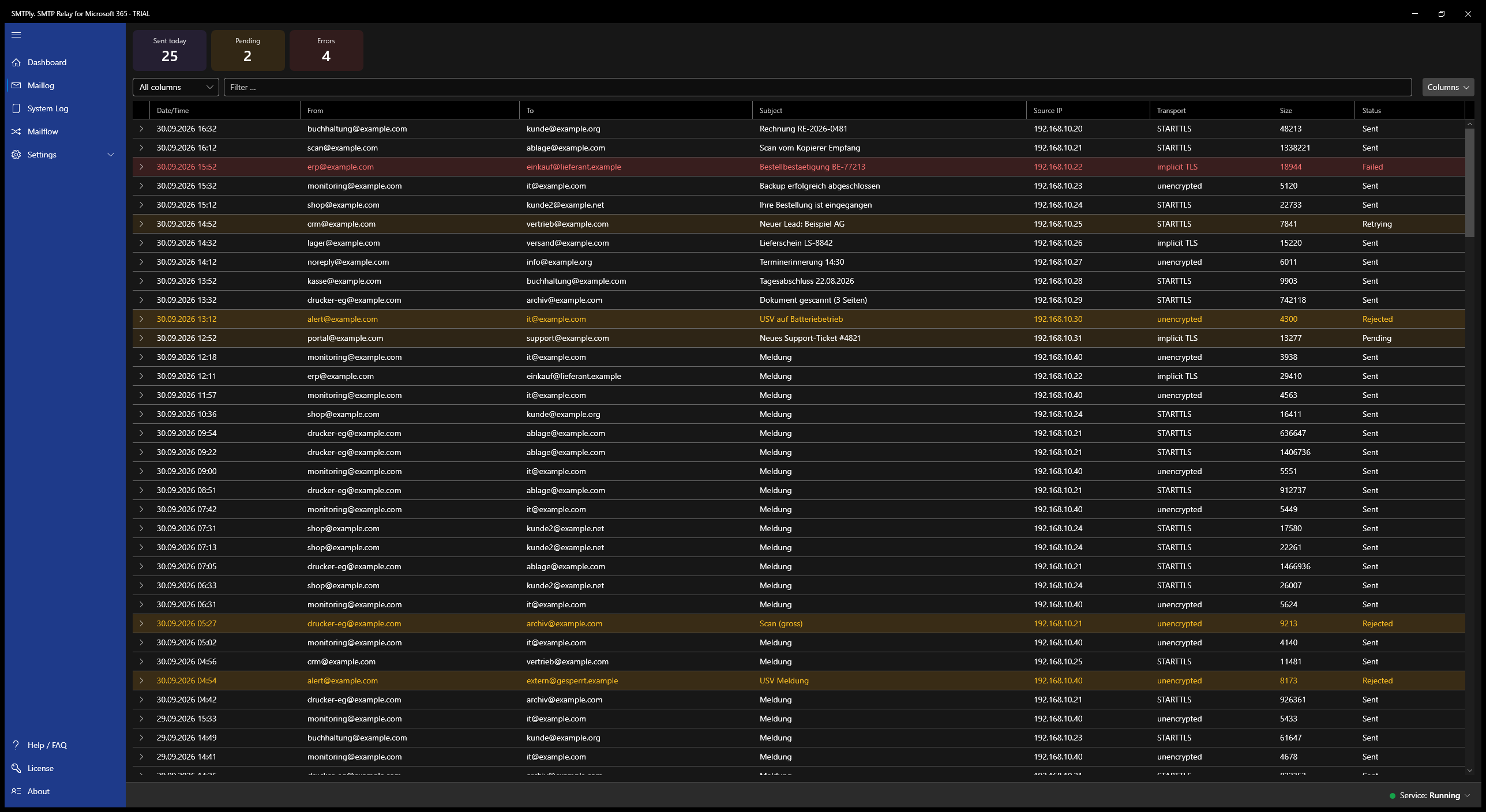
Live list of every mail with sender, recipient, subject, source IP, sign-in, transport and status. Every row expands to details.
Dashboard and statistics
Tiles, trend chart and rankings from the mail tracker: top senders, recipients, source IPs, accounts and rejection reasons, for today, 7 or 30 days. Anonymised on request.
Mailflow and diagnostics
A ruleset like a firewall with a counter per rule, plus a rule tester: “What happens to this mail?” In addition self-test and diagnostic package for support.
Retries
On throttling, outages or network errors SMTPly retries with growing intervals. Expired tokens are renewed.
STARTTLS & TLS
STARTTLS or implicit TLS for older devices. Certificate self-generated, from a file or from the Windows store.
Allow and block lists
Sending only from allowed networks (IPv4 and IPv6, CIDR) and with allowed sender domains. Allow and block lists for individual senders and recipients, block list for IPs, straight from the mail tracker.
Protected credentials
Client secret and passwords encrypted with Windows DPAPI. Only the service can read them.
Masking
Addresses and subject can be masked in the log. Content and attachments are never stored.
Retention
Separate periods for log and mail history, from “don’t store” to unlimited.
Backup
Export the configuration as an encrypted file and restore it on a new server. From Business, optionally on a regular automatic schedule.
Usage reports
Daily, weekly or monthly by email: volume, error rate, top senders and causes.
Expiry warnings
Reminders 30, 14, 7 and 1 day before the client secret or certificate expires.
SMTP authentication Business
One account per device. Passwords stored only as hashes, sign-in optional or mandatory.
Multiple tenants Business
Up to 5 (Business) or 25 (Enterprise) Microsoft 365 tenants, routed by domain or device account.
Built for environments that get audited.
Organizations under NIS2 have to assess their suppliers, and software falls under the Cyber Resilience Act. What you need for both is ready.
Signed software
Installer and program files are digitally signed (Azure Artifact Signing). Updates verify checksum and signature.
Vulnerability contact
Contact per RFC 9116 at security.txt, acknowledgement within three business days.
Reporting process per CRA
Written down and aligned with the Cyber Resilience Act deadlines: 24 hours, 72 hours, final report.
Software bill of materials
Every version gets an SBOM in CycloneDX format. Available on request for the version you run.
NIS2 supply chain
The usual answers for supplier questionnaires are collected in the documentation, ready to copy.
Data sovereignty
Runs entirely on your server, no telemetry, credentials encrypted with Windows DPAPI.
Answers for supplier questionnaires (NIS2) →
The remaining Cyber Resilience Act obligations, including the declaration of conformity and CE marking, apply from 11 December 2027 and will be in place by then.
Your email stays your email.
SMTPly runs entirely on your server. There is no other server between the device and Microsoft 365, including none of ours.
- Passed on byte for byte: attachments, encoding and signatures stay untouched
- No telemetry, no usage data
- Credentials encrypted with Windows DPAPI
- No data processing agreement with us needed
What SMTPly really looks like.
Captures from the app, light or dark to match your setting. Click to enlarge.





Three editions, one installer.
The license unlocks the features. Updates are free in every edition.
↔ Swipe the table sideways to see every edition
| Starter | Business | Enterprise | |
|---|---|---|---|
| Price | €149 one-time |
€249 one-time |
€499 one-time |
| Own Microsoft 365 tenants | 1 | up to 5 | up to 25 |
| SMTP listener on one Windows server | ✓ | ✓ | ✓ |
| Multiple SMTP listeners at once (own port & TLS mode each) | 1 listener | unlimited | unlimited |
| OAuth2 / Microsoft Graph relay | ✓ | ✓ | ✓ |
| SMTP authentication (per-device user accounts, per-user tenant binding, bulk CSV import) | — | ✓ | ✓ |
| Mail tracker / System log / Dashboard | ✓ | ✓ | ✓ |
| 14-day trial (the full Enterprise feature set: whoever evaluates should see everything there is to buy) | Enterprise | ||
| Updates | free | free | free |
| Monitoring endpoint (HTTP health check as JSON + metrics in Prometheus text format, works with any monitoring/RMM) | — | ✓ | ✓ |
| Journal BCC (blind copy of every mail to an archive mailbox) | — | ✓ | ✓ |
| Webhooks (HTTP POST on incidents to Teams, Slack, a ticket system or your automation) | — | ✓ | ✓ |
| Early warning before the license offline grace period ends (by email and webhook, 14, 7, 3 and 1 day before, since 1.8.7) | — | ✓ | ✓ |
| Rate limit per source IP (throttles a single runaway device before it drags the tenant into throttling) | — | ✓ | ✓ |
| Renew the client secret automatically (before expiry, unattended; needs one extra permission in the tenant, details) | — | ✓ | ✓ |
| Scheduled configuration export (encrypted backup to a network share and/or by email) | — | ✓ | ✓ |
| Mail tracker retention (how long the message history is kept) | up to 14 days | up to 14 days | up to unlimited |
| Retention with proof (running checksum chain over the message history, a verify button and a signed CSV export with manifest) | — | — | ✓ |
| Sandbox / migration mode (all mail temporarily to a test mailbox instead of the real recipients, optionally for a time window) | — | — | ✓ |
| Outbound rules (control the delivery path per message: tenant, sender address, journalling, never the content) | — | — | ✓ |
| Syslog / SIEM forwarding (system log to Graylog, Splunk, Wazuh, rsyslog; RFC 5424 over UDP, TCP or TLS) | — | — | ✓ |
| REST interface (read-only JSON access to state and message history, secured by an access secret, optionally over TLS, for your own dashboards and evaluations) | — | — | ✓ |
| MCP server (the same queries as tools for an AI assistant: troubleshooting in conversation instead of in filters) | — | — | ✓ |
| Support | standard support | priority support | priority support |
| Use | Own use, not for resale | Own use, not for resale | Own use, not for resale |
| Buy Starter | Buy Business | Buy Enterprise | |
Price change on 1 November 2026: Starter will then cost €199 and Business €349. Enterprise is already reduced to €499. Until 31 October 2026 today's prices apply; existing licenses are not affected.
Payment is handled by Polar as merchant of record. You choose the edition at checkout.
If you are interested in a partnership, or would like to offer SMTPly as a reseller or MSP partner, please get in touch. Get in touch
Technical specs.
- Platform
- Windows 10 / 11, Windows Server 2016 / 2019 / 2022 / 2025, x64 (self-contained, no separate .NET runtime required)
- Technology
- .NET 10 LTS, WPF, ModernWpfUI, Kestrel, Serilog, MSAL.NET, Microsoft Graph SDK 6
- SMTP port
- Configurable, default 25 (internal) / 587 (external); multiple ports at once from Business
- Bind address
- Default 127.0.0.1, optional 0.0.0.0 or :: for LAN operation
- IPv4 / IPv6
- Equal footing on every interface; for “all interfaces” one socket is opened per address family
- Max message size
- 25 MB default, up to 150 MB (Graph limit)
- OAuth2
- App registration in your own tenant, created automatically by consent or by hand; application permission Mail.Send
- Configuration
- JSON, secrets DPAPI-encrypted (LocalMachine scope)
- Logging
- Serilog file + IPC stream to GUI, mail tracker as SQLite
- HTTP interfaces
- Monitoring (/health, /metrics) from Business; REST and MCP from Enterprise, each optionally over TLS
- Installer
- Inno Setup, registers Windows service automatically
- Code signature
- Binaries and installer signed (Azure Artifact Signing, IT-Beratung – Andreas Hähnel)
Convinced? Try it now.
14 days with every Enterprise feature, no sign-up.